What is Moshline?
Moshline is an iPhone and iPad control surface for coding agents running on your own hosts, backed by a real SSH/Mosh terminal for context and recovery.
Moshline turns iPhone and iPad into a native control surface for coding agents running on Macs and Linux hosts you control. Review what needs attention, decide with context, and open the real SSH/Mosh terminal whenever you need the full shell.
Inside Moshline 1.1
Follow the path from fleet inbox to contextual approval, captured activity, the real terminal, and verified Codex usage.
01—05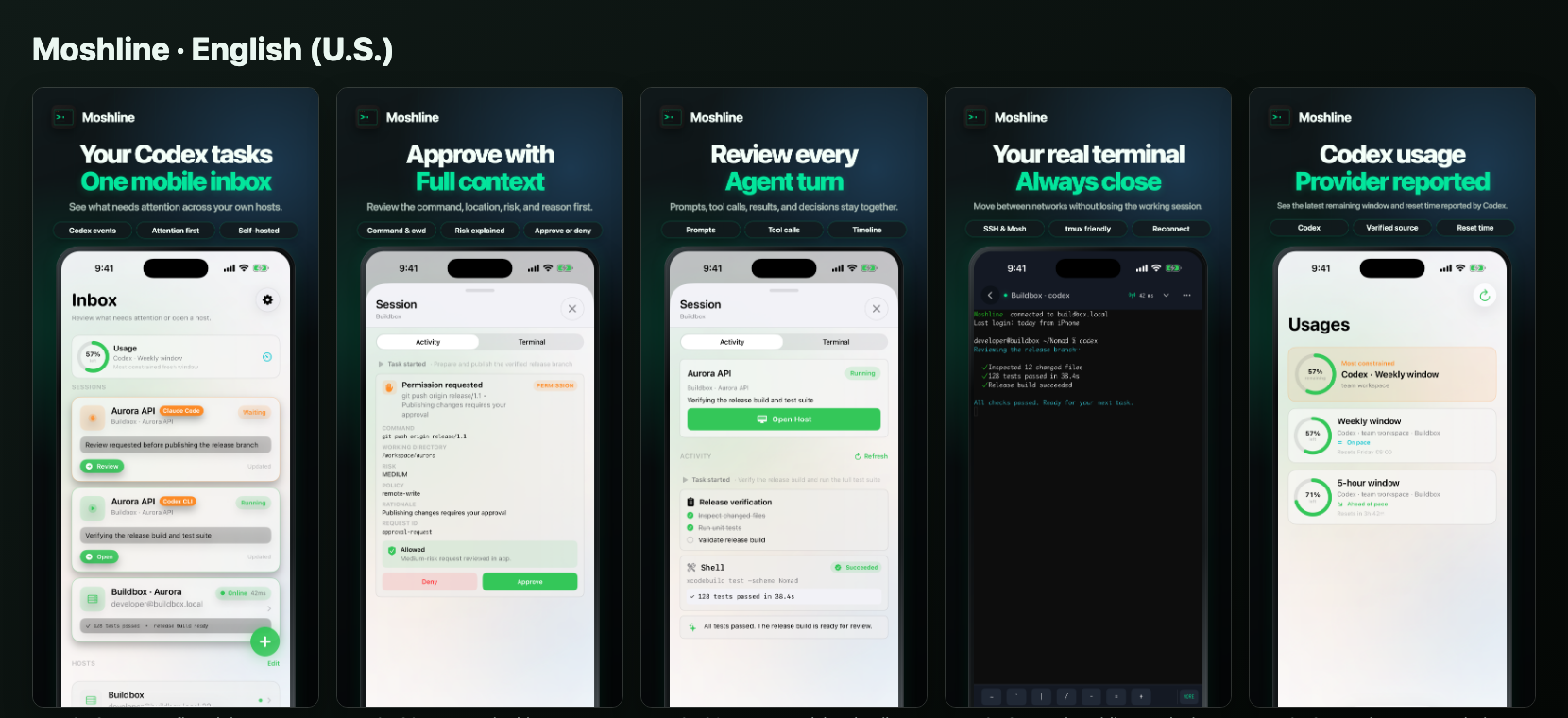
See captured approval requests, completion events, and live session status across paired Mac and Linux hosts in one attention-first inbox.
Review the requested command, working directory, risk, and policy details when available before approving or denying supported actions.
Open the paired host over SSH or Mosh for full context, network-resilient recovery, and the shell you already trust.
Current onboarding path: run one command on your server, scan QR in the app, then connect.
Moshline is an iPhone and iPad control surface for coding agents running on your own hosts, backed by a real SSH/Mosh terminal for context and recovery.
Yes. Moshline uses SSH for authentication and startup, then supports Mosh roaming and reconnect for more resilient mobile sessions.
Run the quick setup script on your Mac or Linux host, scan the generated QR code in the app, choose your authentication method, and connect.